Showing posts with label Photo Sphere. Show all posts

Monday, October 21, 2013

Photosphere Bug


nexusae0_Screenshot_2012-10-31-14-44-59_thumb1
9

Every version of Android has launched with at least one headlining feature. As any true fan would know, the 4.2 camera brought with it a very cool new mode called Photospheres. While the initial hype has dropped off, the popularity of photospheres still continues to grow, thanks in part toimprovements in image quality and the addition of a Maps-based community designated for sharing the immersive images. We don't always want a location attached to our regular pictures, but it's pretty rare when we don't want our photospheres to be geotagged. After all, they are usually taken in public, wide-open spaces. Unfortunately, since updating to Android 4.3, quite a few people have found their photospheres lack geotagged coordinates.

As it turns out, there is an oversight in the latest Camera app that results in a failure to attach coordinates to the photosphere metadata as long as the device is set to a language other than English. As reported in the Issue Tracker, a number of languages cause the lack of data, but changing the phone's system language to English ensures that it works properly. Furthermore, switching back to any other language returns it to the buggy state. It's worth acknowledging that English may not be the only language to not suffer this bug, but nobody has come forward with another.
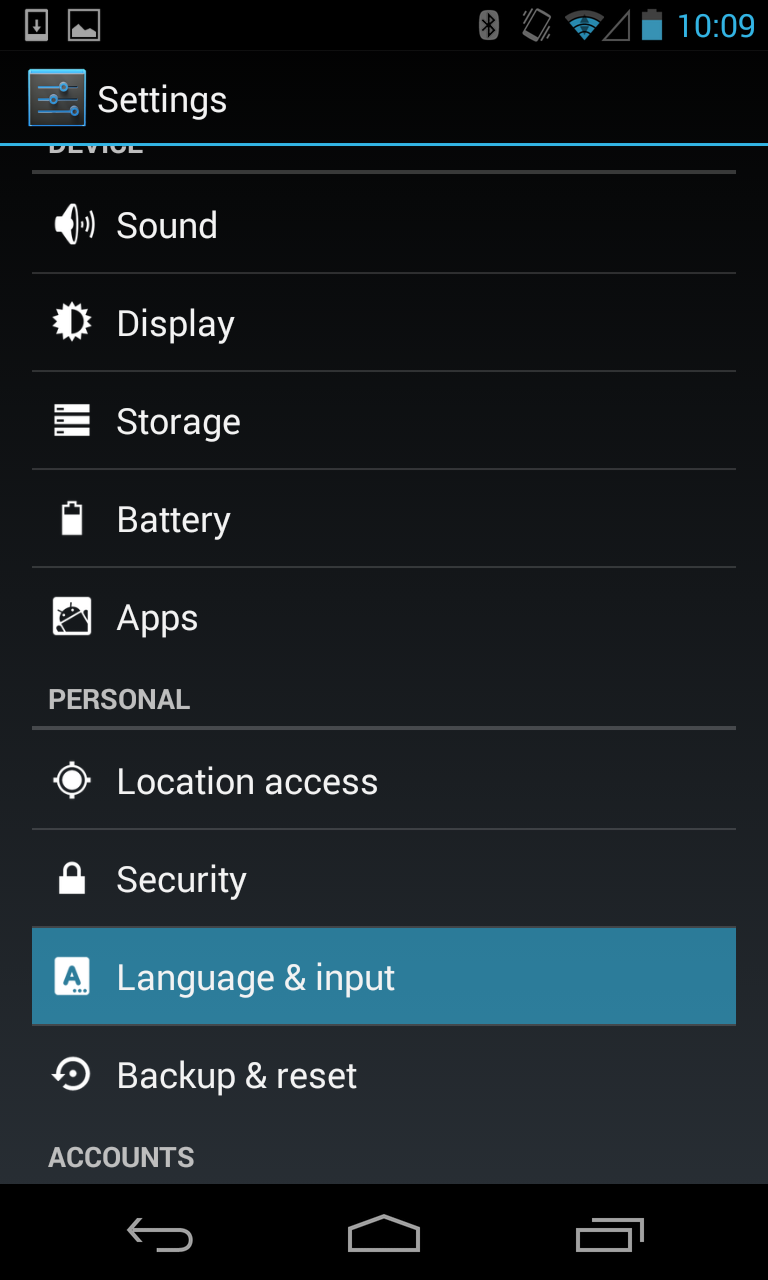

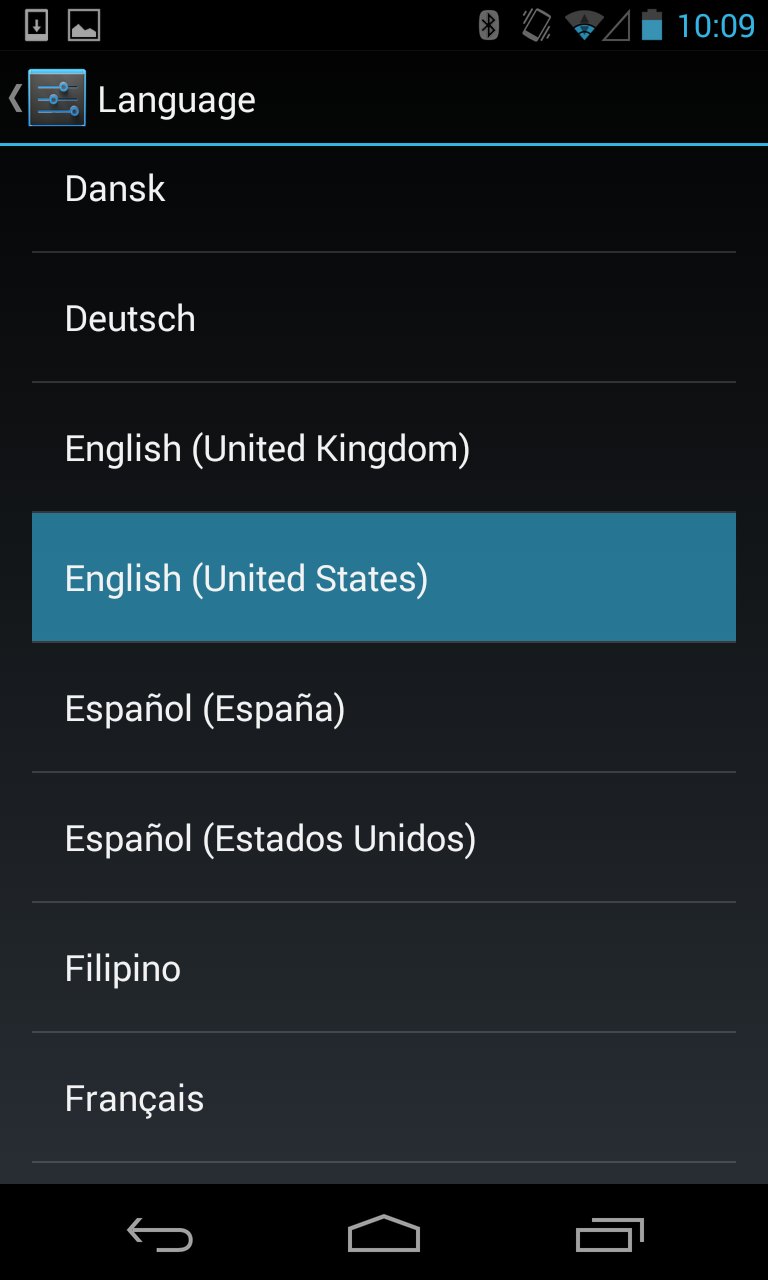
Workarounds for the issue are a bit sparse, but they are at least simple. The first and most obvious is to switch to English under Settings -> Language & input -> Language, but anybody affected by this bug probably prefers their native tongue, so it isn't really ideal for most people. As an alternative, it's quite simple to use 3rd party tools to markup your images with coordinates. Apps like GeoTag and services like Google's own Photosphere generator make it simple to attach location data to the image after it has been generated.

Surprisingly, this issue has yet to be acknowledged by Google, despite being first reported just over a month ago. Given that the glitches occur on something as obscure as a locale setting, it's likely to be a very simple fix once an engineer has time for it. While a little missing data in photospheres are certainly not as critical as some of the other issues covered in previous Bug Watch posts, it's disappointing that an important component of this headlining feature hasn't received a bit more attention. Like all bugs, we expect to see this one knocked out pretty soon.

Tuesday, October 8, 2013

PhotoSpheres gets a home

Introducing “Views” - A new way to contribute your 360° photo spheres to Google Maps


Wherever life’s adventures may take us, our photos help us remember and share the places we care about. When photos are added to a map, whether they’re from your camera or through Street View, they record unique experiences that collectively create the story of a place and what it looked like at a particular moment in time.

Today, we are launching a new community site called Views that makes it easy for people to publicly share their photos of places by contributing photo spheres to Google Maps (photo spheres are 360º panoramas that can be easily be created with your Android phone).

Below is a screenshot of the new Google Maps for desktop, showing a photo sphere that I shared one morning in Hawaii while my wife and I walked along the beach near our old neighborhood. The thumbnails at the bottom show our comprehensive photo coverage, with each image accurately placed on the map.


A photo sphere in the new Google Maps. 
Can you feel the sand between your toes?


Photo spheres can be created with the camera in Android 4.2 or higher, including most Nexus devices and the new Nexus 7 tablet. This short video will show you how to get started. You can also share panoramas you’ve created with your DSLR camera (learn more on our help center).

To upload 360º photo spheres, just sign into the Views site with your Google+ profile and click the blue camera button on the top right of the page. This will enable you to import your existing photo spheres from your Google+ photos. You can also upload 360º photo spheres to Views from the Gallery in Android by tapping “Share” and then selecting Google Maps.

Below you can see my Views page, which is filled with photo spheres and descriptions about my experiences in the places I’ve visited. I created these during my travels, including day trips and hikes around the San Francisco bay area, as well as far away adventures to Hawaii, Sydney, Beijing, andParis. Sometimes I also share photo spheres around the Google campus in Mountain View. You can explore them all on this map.


Screenshot of my Views page

Since Views also incorporates the Street View Gallery, you can check out incredible panoramas of our most popular Street View collections, from theGrand Canyon to the Swiss Alps. Just click on “Explore” at the top of the Views site to browse a map of these special collections right alongside community-contributed photo spheres.

So, when you’re on your next adventure, don’t forget your camera and your Android phone to create and share some photo spheres of places that inspire you... we can’t wait to see them!

View Larger Map
Posted by Evan Rapoport, Product Manager, Google Maps & Photo Sphere

Google Rolls Out New “Views” Site For Geotagging And Sharing Your Android Photo Spheres

google-views

If you’ve got an Android device running version 4.2 or later, chances are you’ve tried capturing a photo sphere — one of those nifty little 360-degree panoramas that let you spin around to capture your surroundings until vertigo sets in. Instead of just letting those photo spheres languish on your phone or on your Google+ account, though, Google has thought up something awfully keen for them.

You know what I’m getting at (the headline was probably hint enough). Google has fired up a new Views page that lets users tie their photo spheres to specific locations for when static maps and satellite fly-bys just aren’t immersive enough.

The process is simple enough: once you’re logged in to Google+ and mosey over to the Views page, you’re given the option to import all of the photo spheres stored in your Google+ account. Haven’t uploaded them to Google+ yet? That’s fair — you can upload them to Google Maps straight from the stock Android gallery app, too. Google Product Manager Evan Rapoport also confirmed that users who share those photo spheres will also be able to view them from their own Views user page, which looks a little something like this. As you’d expect, you’ve got easy access to a grid of all your photo spheres, but a single click lets you pull out into a wider map view to see where all of those spheres were captured.

It’s all rather neat, but to be quite honest it’s about time Google managed to make the whole photo sphere experience meatier. Sure, they’re easy enough to shoot, and the end results are generally pretty impressive, but users were always fairly limited with what they could do with those photo spheres after the fact. At least now users who have dedicated themselves to creating awesome photo spheres (I’m sure there are more than a few people who fall into that category) have a centralized spot to show off some of their most impressive work. Of course, it’s not hard to see how Google benefits from this.

As intrepid as Google’s crew of drivers and trekkers are, there’s only so much in terms of resources the company can devote to making the world’s varying locales accessible from a web browser. Now that it’s easier for folks to share their photo spheres, Google could theoretically serve up on-the-ground views of any (human-accessible) location by displaying those photo spheres in Google Maps proper. I wouldn’t expect Google to try anything quite that bold until Android 4.2′s adoption figures swell a bit, but it’s certainly something to keep an eye out for.

Sunday, June 16, 2013

Photo Sphere - not quite there..


Google+ widget lets you embed Photo Spheres on any website

Google widget lets web devs embed photo spheres on any website


One of the biggest highlights of Android's jump to 4.2 was the addition of Photo Sphere, a 360-degree panoramic shooting mode that pans vertically as well as horizontally. It's a neat trick, but the only way to share it was on Google+ or on a device running Android 4.2 or higher. Now, thanks to a new widget that utilizes the Google+ Platform API, you can embed an interactive 360-degree slideshow on any website you choose -- so long as your photos are stored on G+ and PicasaWeb. If you're willing to play around with a bit of code, have a peek at the source to get started

Go to Google's Developers Area for "Photo Sphere How to?"

Photo Sphere Review - dpReview